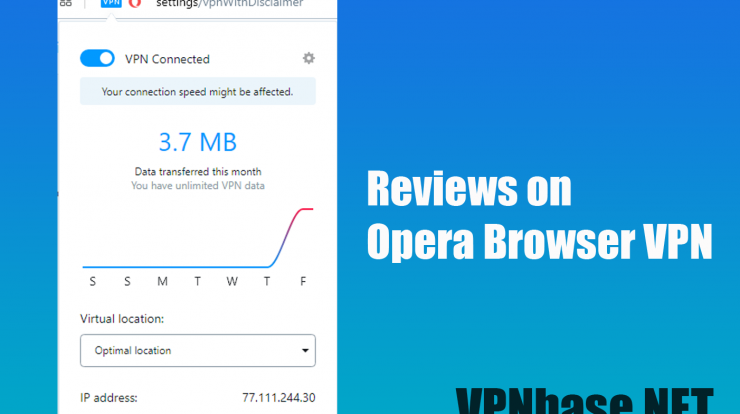
VPNbase.NET – Reviews on Opera Browser VPN – Who doesn’t know about VPN, maybe almost all internet users use VPN as a security in browsing the internet. One of the browsers that already provides a built-in VPN feature is Opera Browser.
Reviews on Opera Browser VPN
The Opera browser officially already has a vpn feature already installed on its browser. This feature can be used on all Desktop PC devices. VPN in the Opera browser is a feature that we can use to connect to the internet privately and encrypted.
VPN is usually a generic tool for creating new IP addresses, or what we mean by anonymous browsing. This means that by using a VPN you can also access sites that are blocked by certain providers.
You can enjoy a VPN from the opera browser for free. The VPN server on the Opera browser uses a random server system, so this feature automatically selects a server that still has the capacity, location and network speed.
How to use Opera Browser VPN
The use of a VPN is indeed quite helpful in terms of security when using the internet network. Using the Opera browser VPN feature is very easy, here are a few steps you need to follow.
- First, download and install the Opera browser app for your desktop device.
- Second, open the opera browser application, then select the three lines in the upper right corner of the browser.
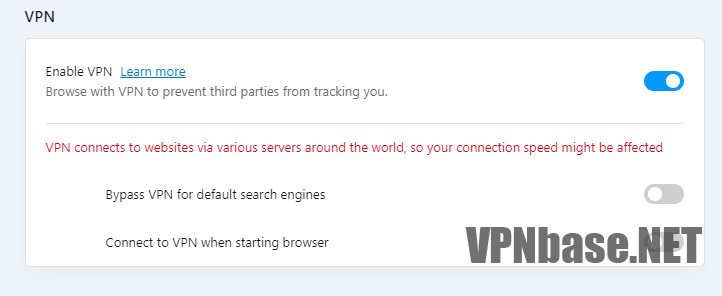
- Third, look for the “VPN” option and click “Enable in Settings“.
- Fourth, you click the “Enable VPN” button.
- Done, the VPN in the opera browser is active.
How to Check Server IP and Turn Off VPN
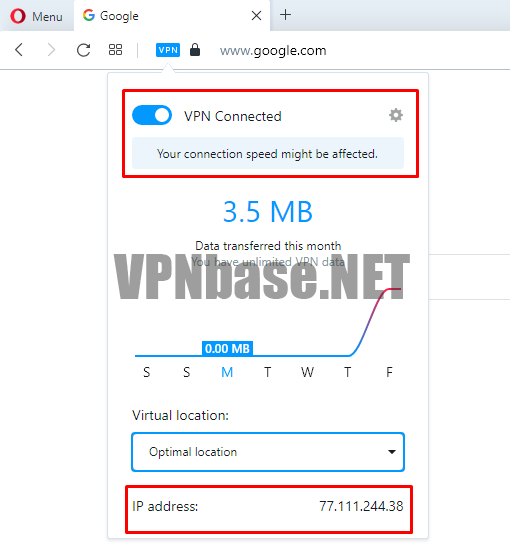
To confirm whether the VPN is active or not, you can click the VPN icon next to the browser URL field. In this option you will see the VPN Server IP you are using. If you want to turn off the VPN, you just need to turn off the VPN button.
Conclusion
By using a VPN, your online privacy will be more secure, making it easier to access content. And most importantly provide security to its users.